
Miso allows you use a single platform for case creation and collaboration - if you want to work on a case as a team, all you need is to safely share access to the case with your colleagues.
Step 1.
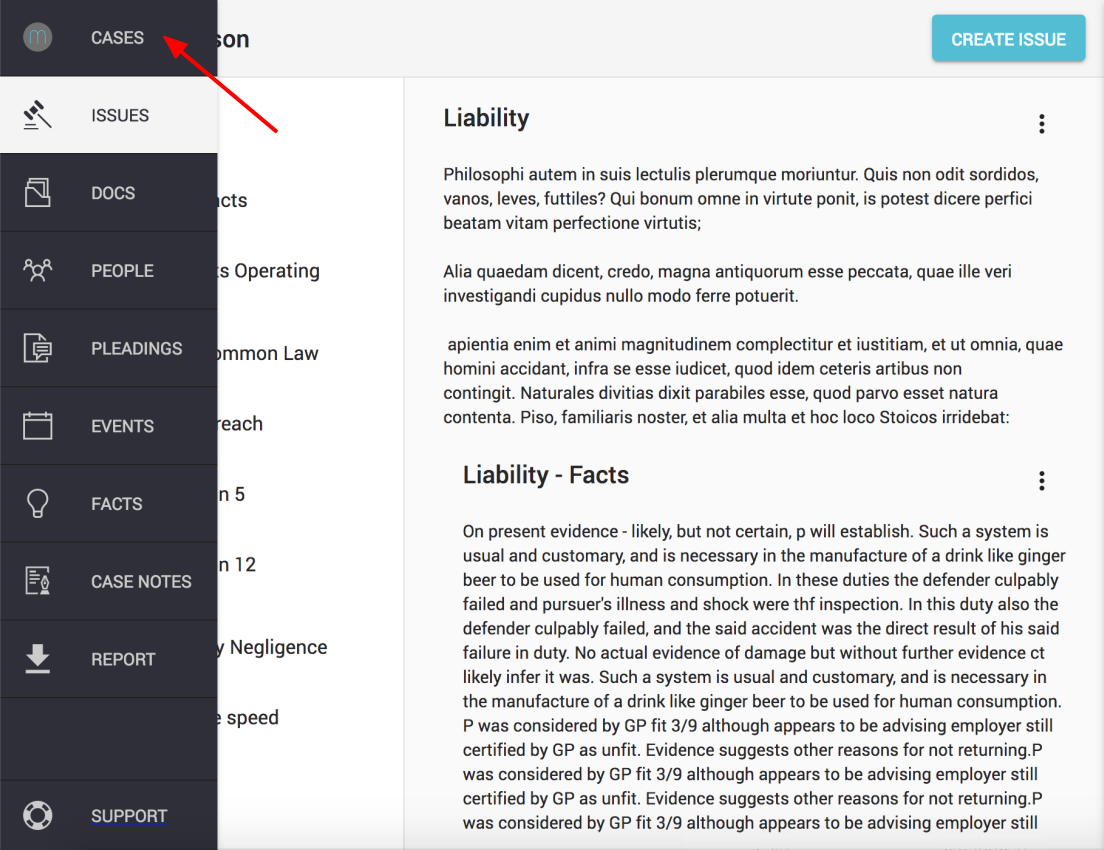
Click on the "CASES" icon, found in the left hand navigation column
Step 2.
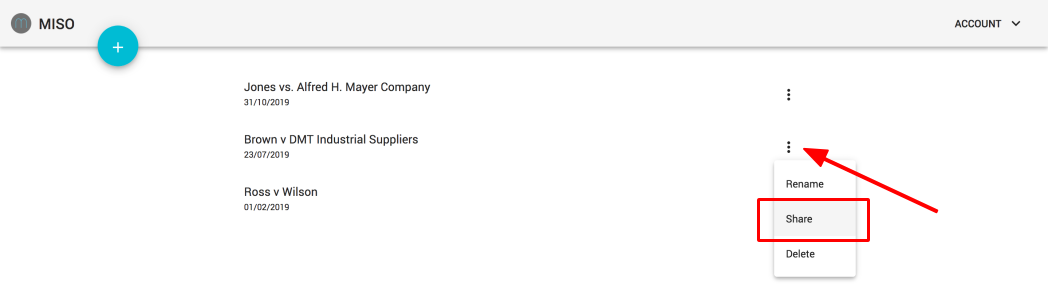
Find the case you wish to share access to and click once on the three dots icon (to the right of the case name)
Select the second option - "Share"
Step 3.
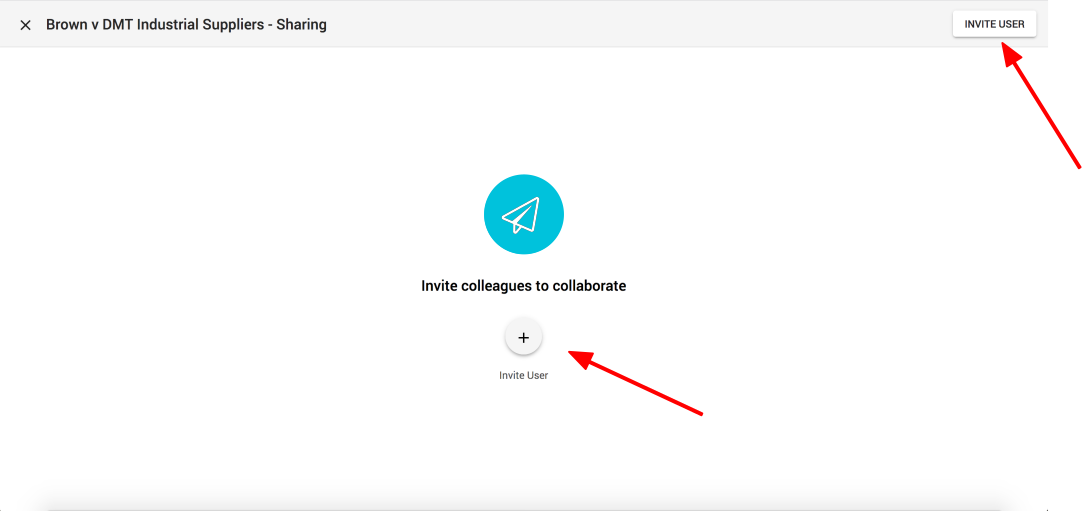
Click on "Invite user" button (or "+ Invite User")
Step 3.
Enter the email of the person you want to invite and click "Add" to confirm.
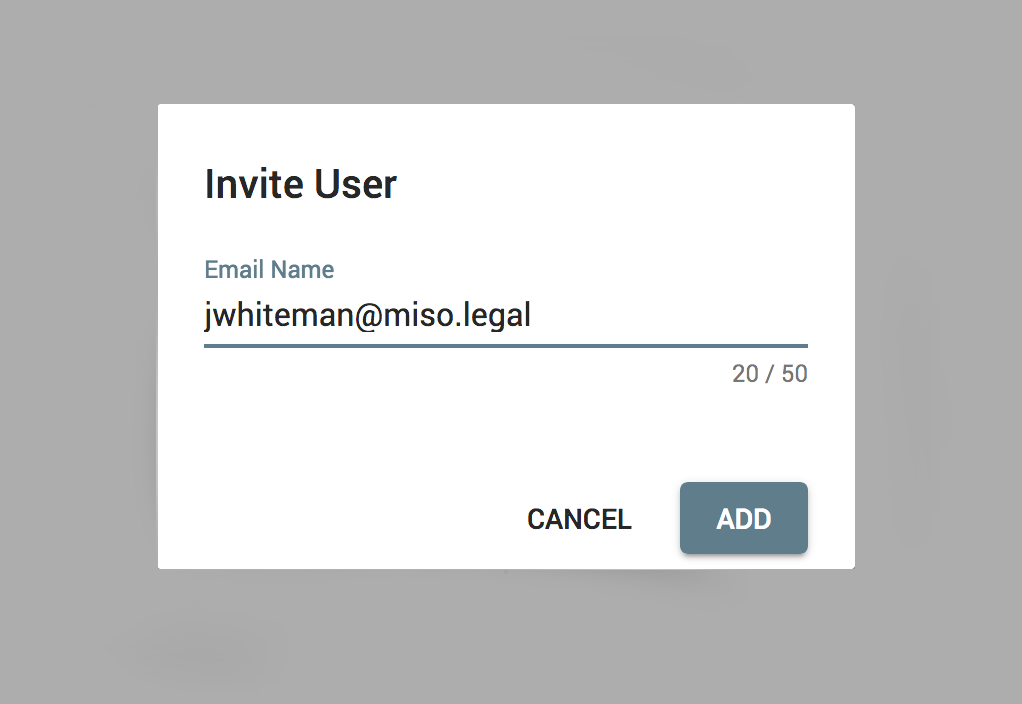
Note: The invited person needs to accept the invitation before they can access the case in Miso.
Comments
0 comments
Please sign in to leave a comment.