
Facts are a powerful way to drive connections between what you discover in case documents and the legal issues you identify.
Note: You can only create facts from an open document
Step 1.
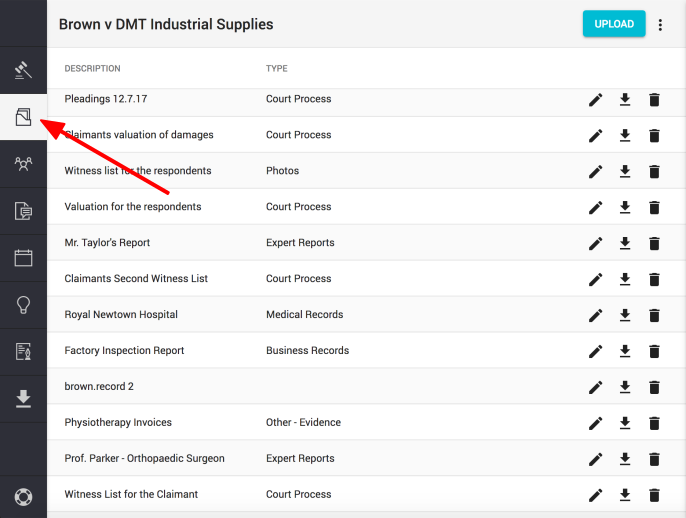
Click on the "DOCUMENTS" icon found in the left hand navigation column
Step 2.
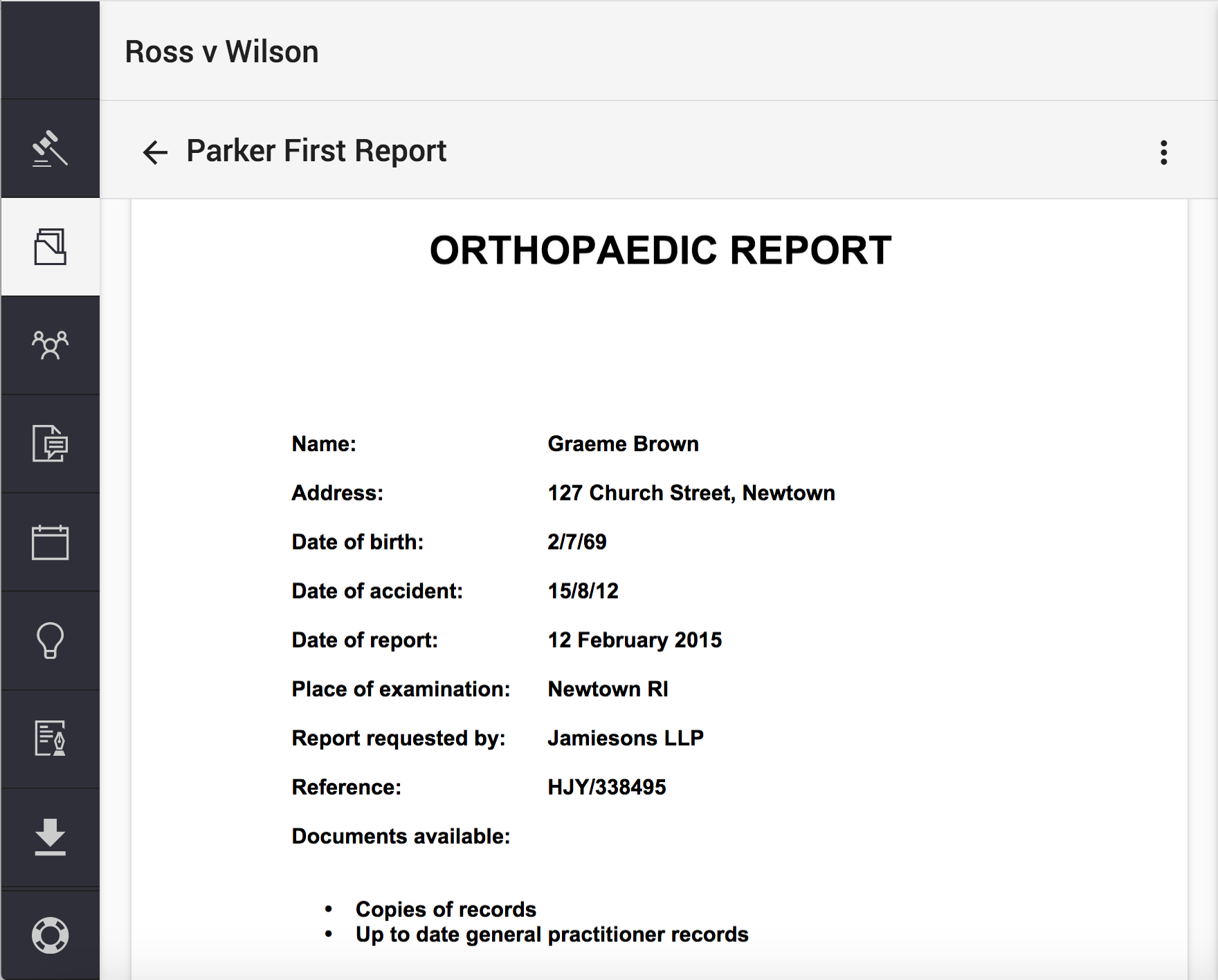
Select the document you wish to create a fact from and open it.
Step 3.
Click on the "Facts" icon (found on the top of the sidekick window) to open Facts in the sidekick
Next, click on the "+Fact" button
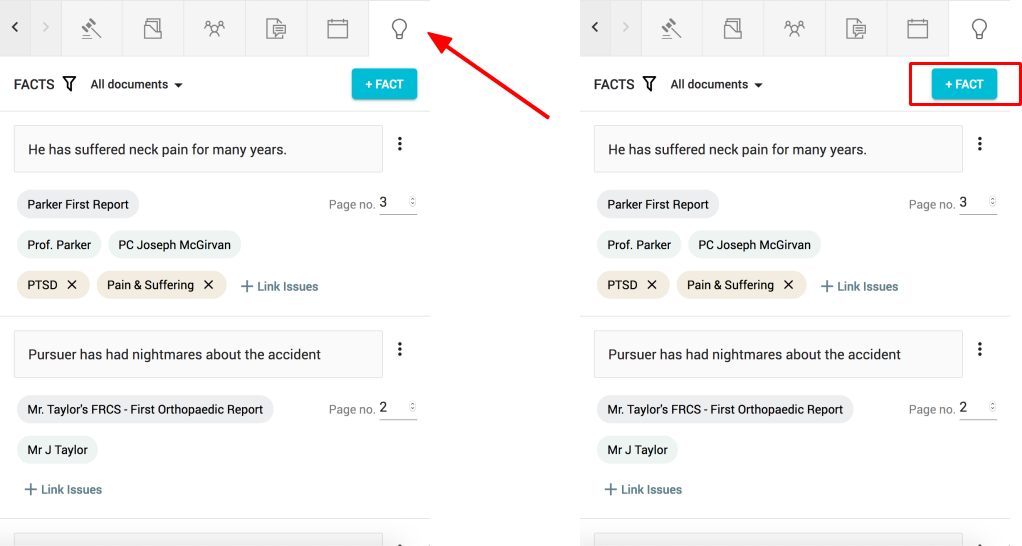
Note: As facts, people and documents are added to the case, they will appear as 'chips' in the FACT window
Step 3.
Copy and paste the fact from the open document or type in in the indicated box.
Click "Create" to confirm.
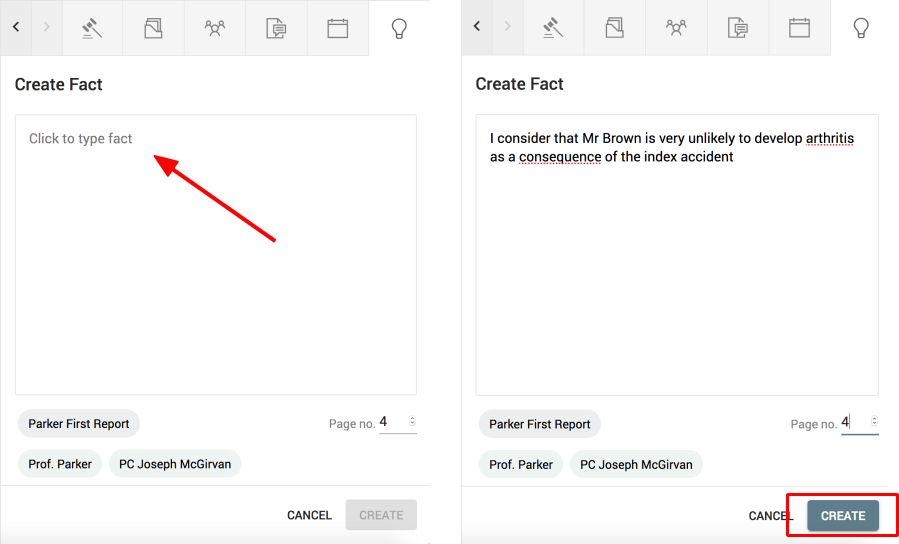
Note: You can also specify the page on which the fact occurs in the document.
Comments
0 comments
Please sign in to leave a comment.