
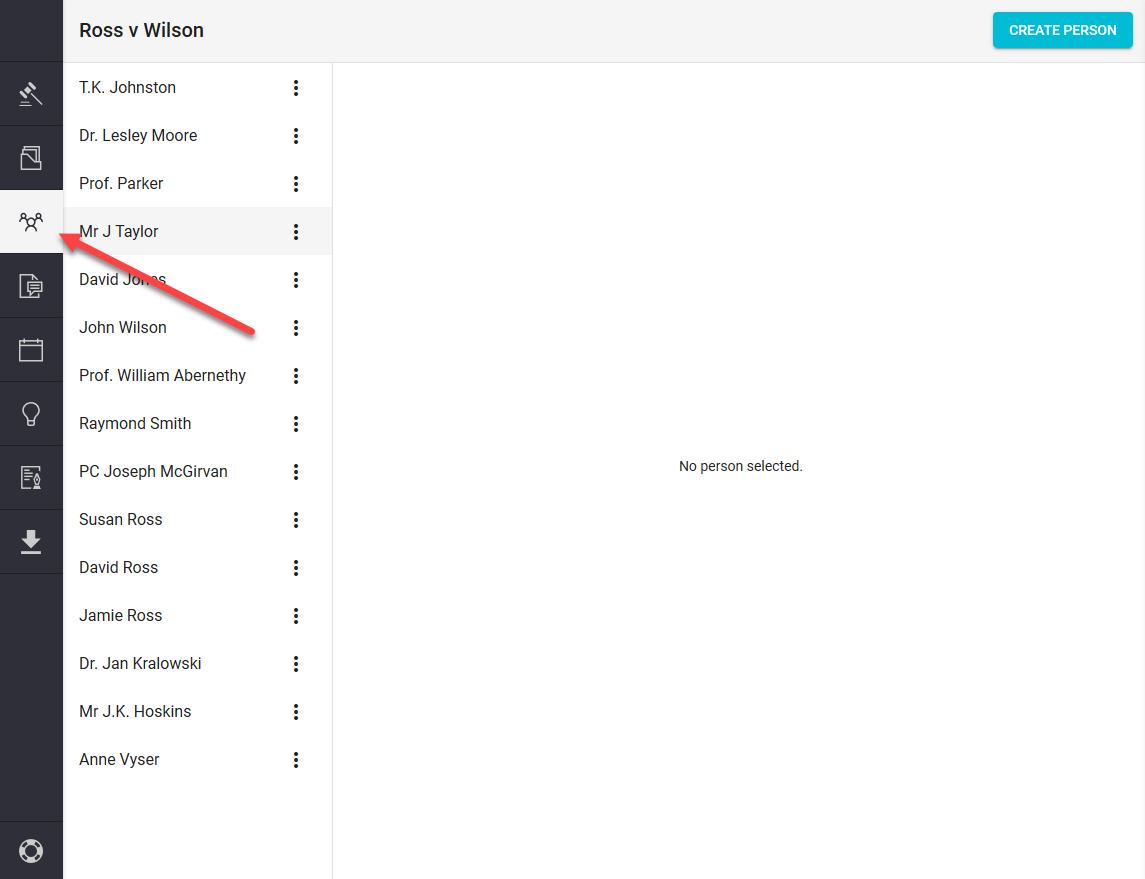
Step 1.
Click on the "PEOPLE" icon (found on the left hand navigation column)
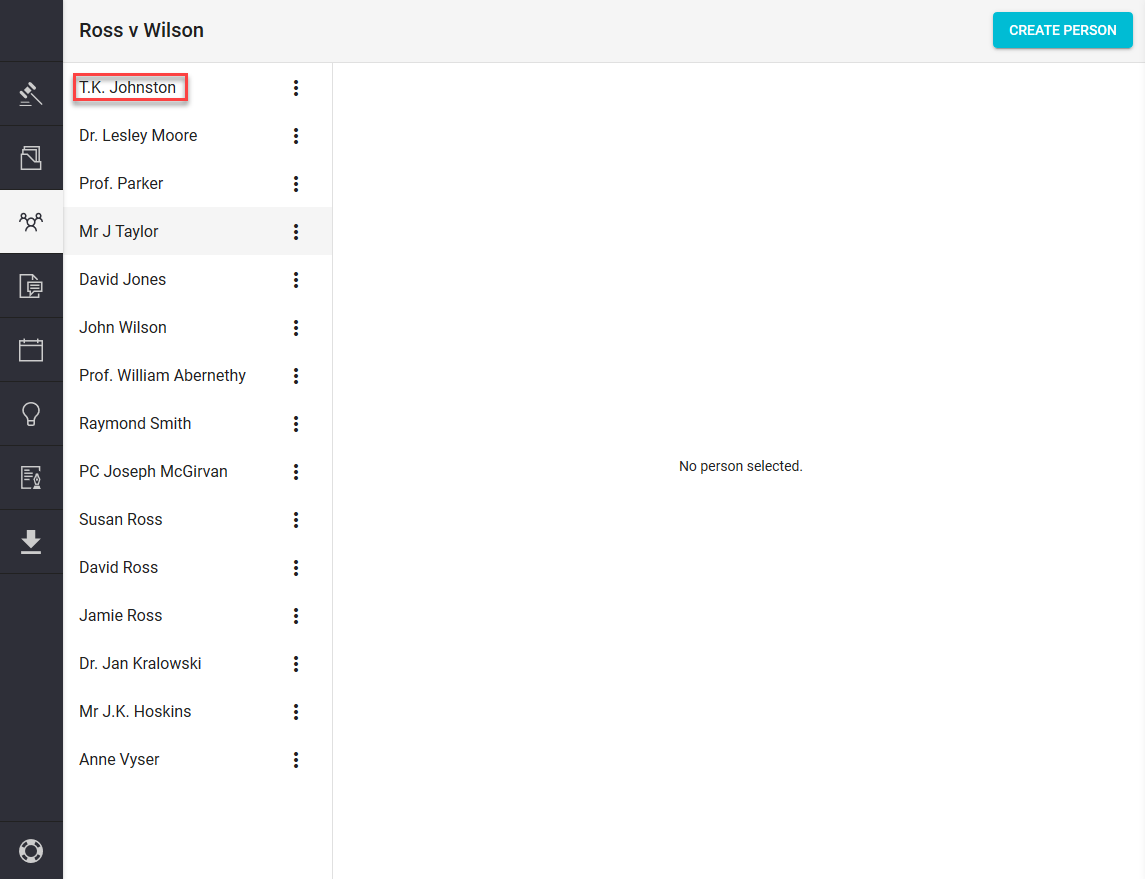
Step 2.
Click on the name of the Person you would like to link to an Issue.
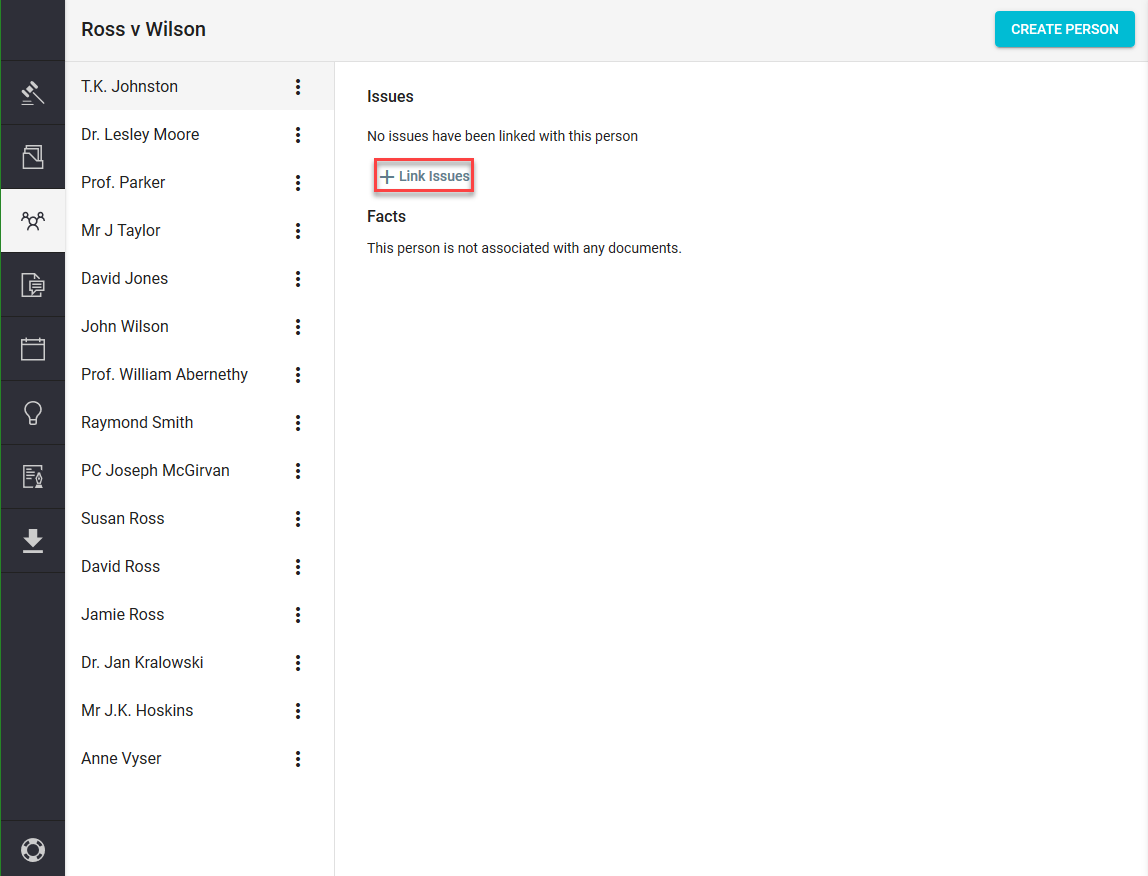
Step 3.
Click on the "+Link Issues" tab found in the Main View
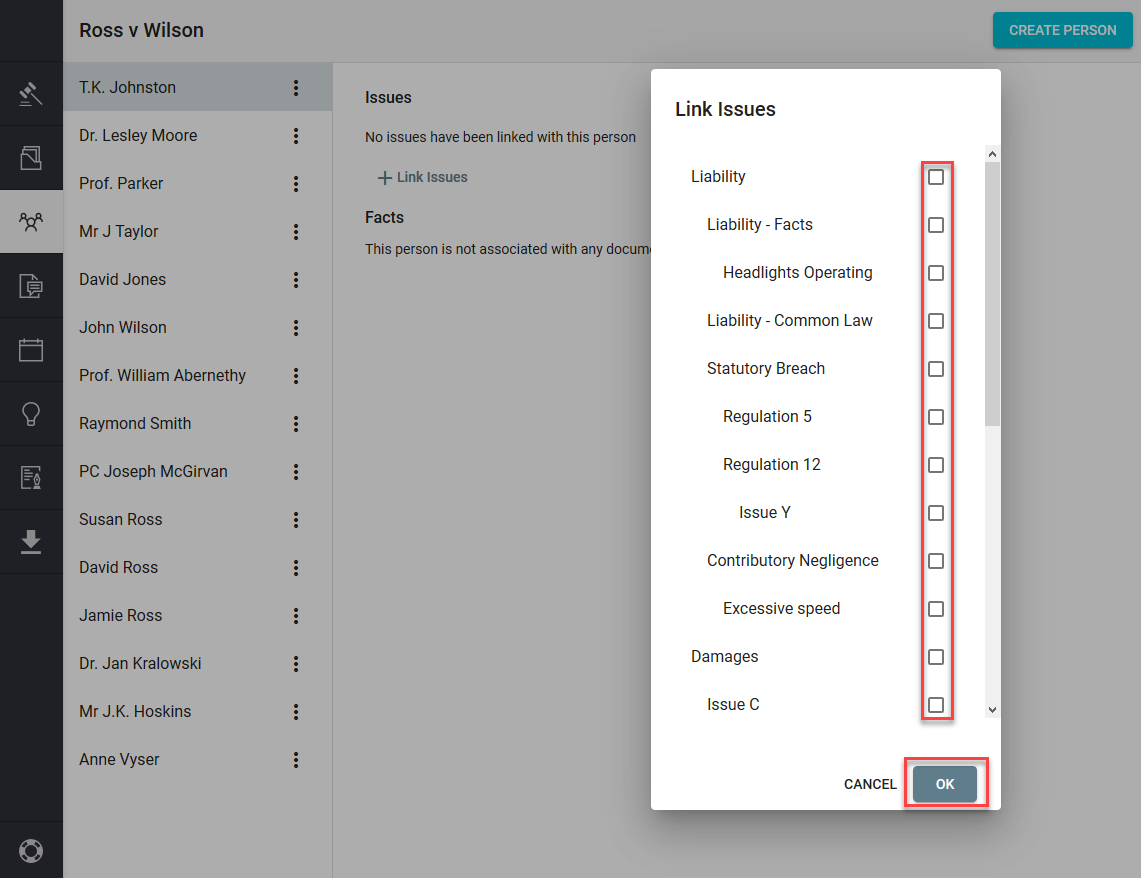
Step 4.
Tick the box or boxes of the Issues you would like linked and then click "OK"
Step 5.
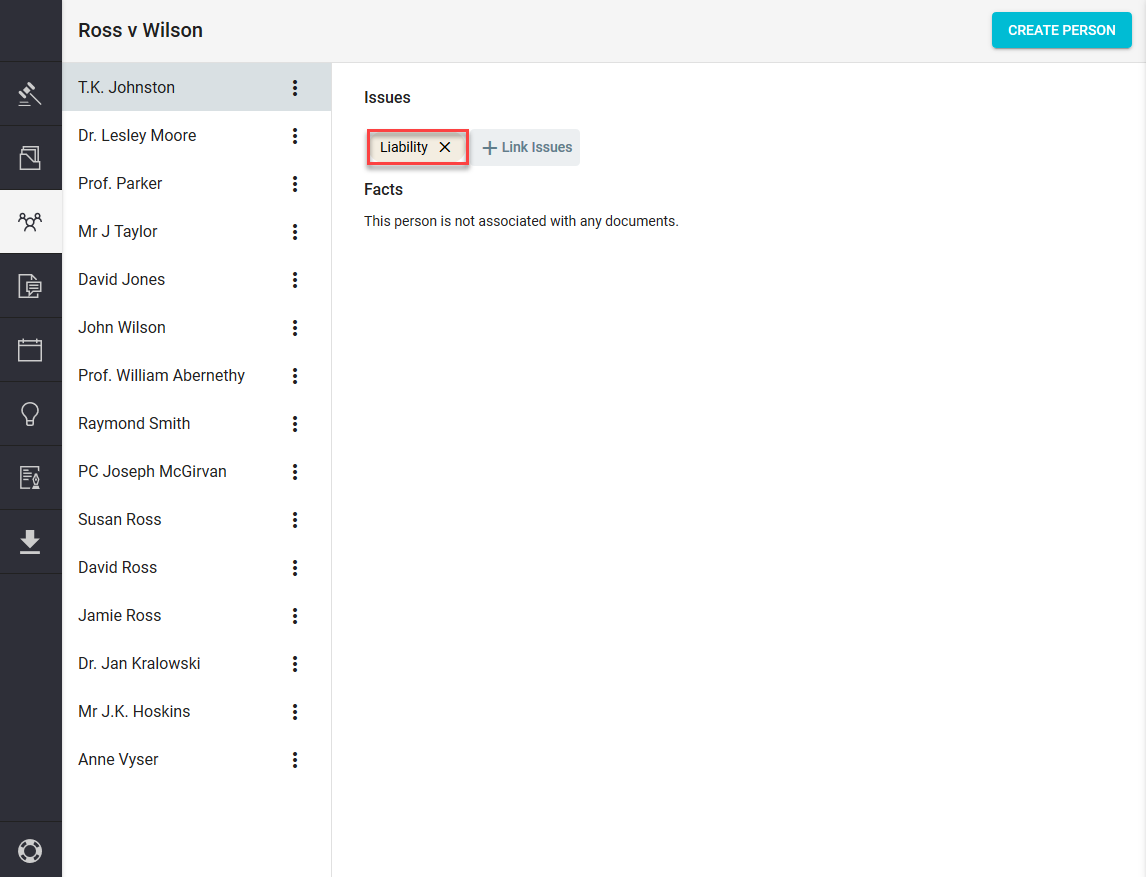
You will now have a tab with the name of your chosen Issue on it.
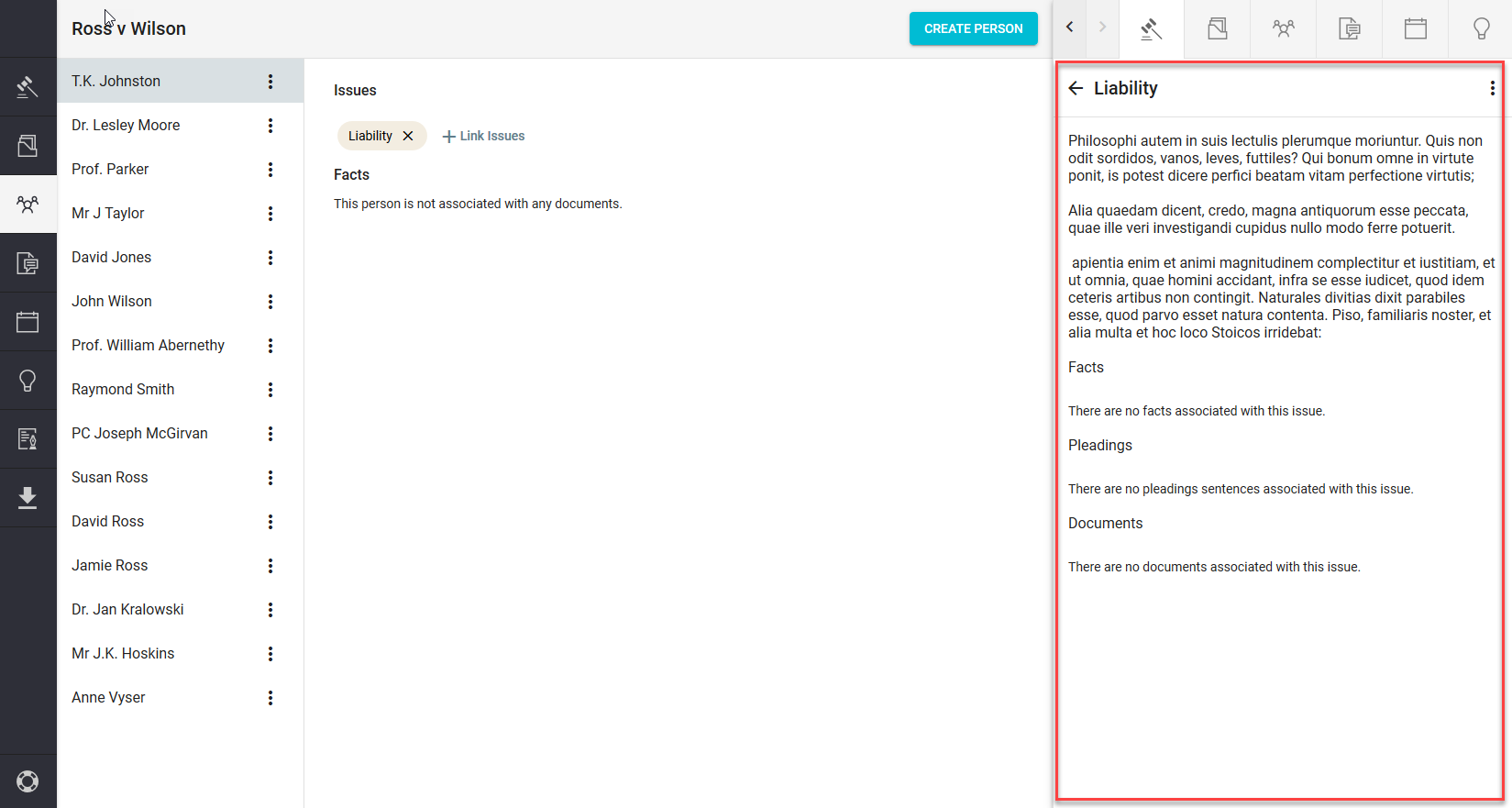
If you click on it your Issue will open in the sidekick window.
Comments
0 comments
Please sign in to leave a comment.