
Miso lets you view two documents at the same time - in the main view and the sidekick.
Step 1.
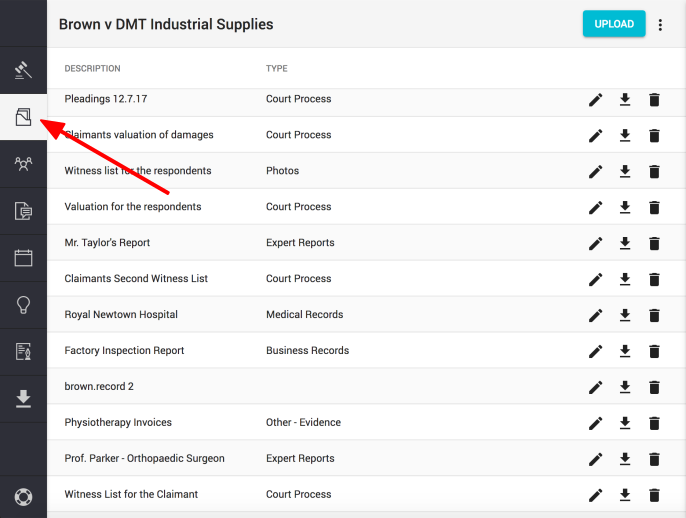
Click on the "Documents" button, found in the left hand navigation column
Step 2.
Select the document you wish to open in your main view by clicking on the document's name
Step 3.
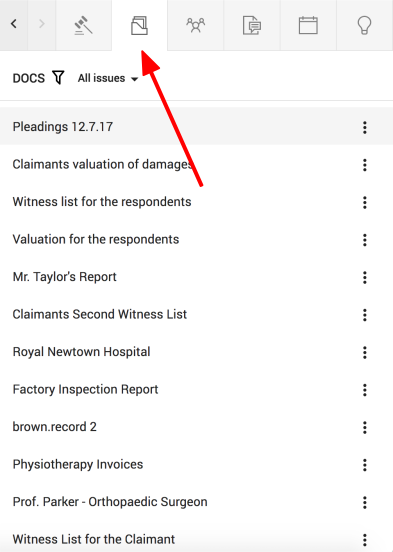
Now, click on the "Documents" icon, found on the top right of the sidekick window
Step 4.
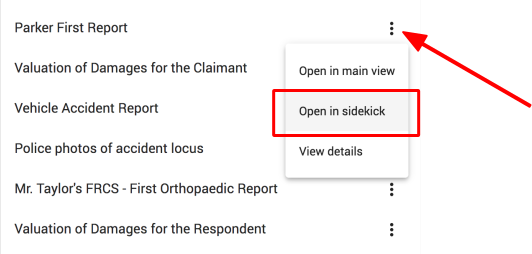
Find the document you wish to open in the sidekick window and click once on the three dots (to the right of the title)
Select the second option - "Open in sidekick"
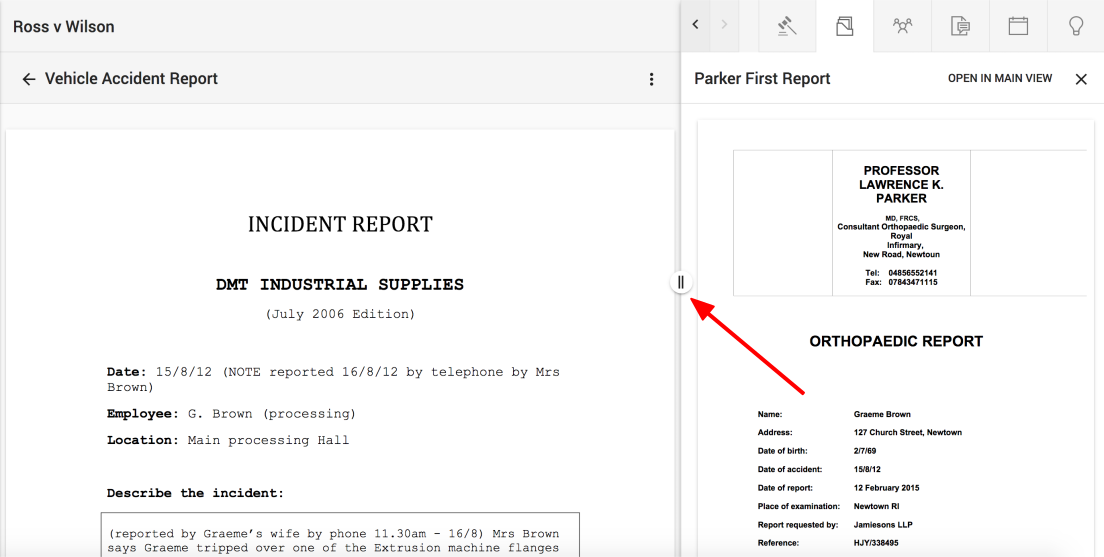
Now you can overview both documents at the same time.
Note: Use the sidekick slider to make the window bigger or smaller as required.
Comments
0 comments
Please sign in to leave a comment.