
Miso lets you link case related documents with people and issues involved in your case.
Step 1.
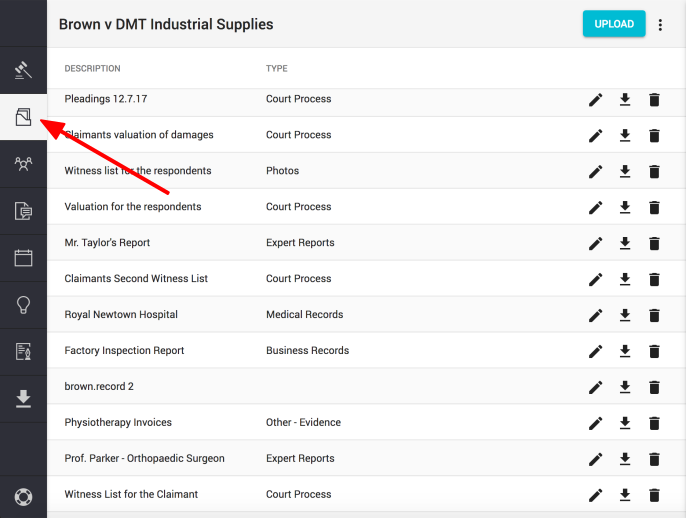
Click on the "Documents" icon found on the left hand navigation column
Step 2.
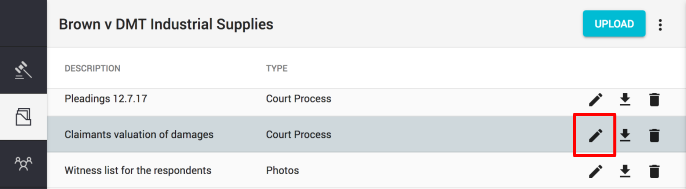
Click on the "Pencil" icon to open document details in the sidekick.
Step 3.
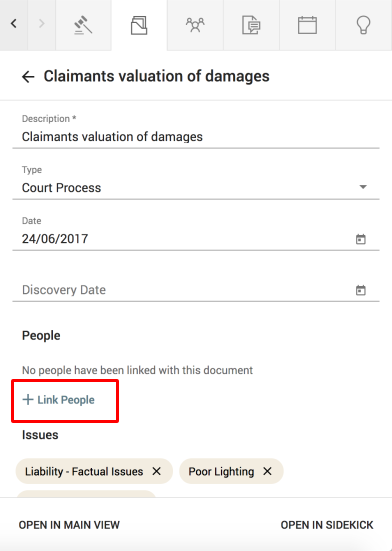
In document details, click on "+ Link people" button
Step 4.
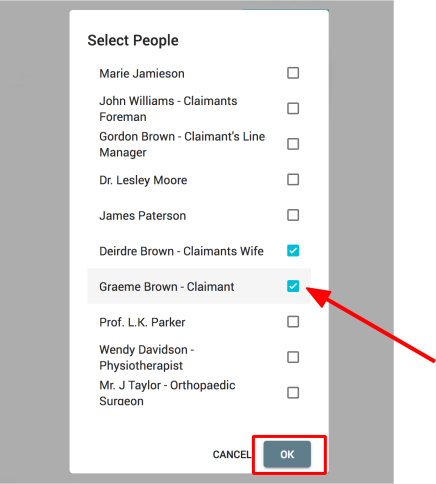
Tick the people you would like to link and press "OK" to confirm
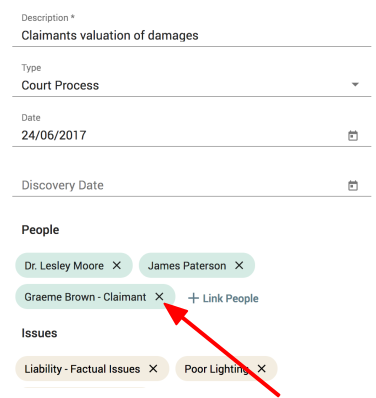
Note: To unlink a person and a document, click on the "x" button next to the person you want to unlink. This person will be unlinked from the document.
Comments
0 comments
Please sign in to leave a comment.