
To Filter by issues, you can narrow down the number of documents and people displayed.
* * * * *
1. Steps to filter documents by issues
Step 1.
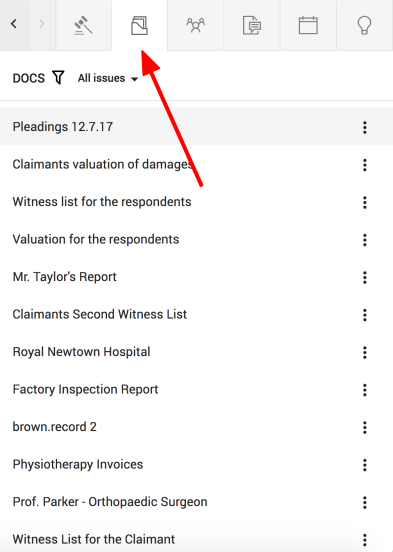
Click on the "DOCUMENTS" button, found on the top right of the sidekick window
Step 2.
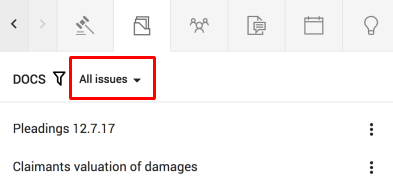
Click on the issue name next to the filter icon to open a dropdown menu
Step 3.
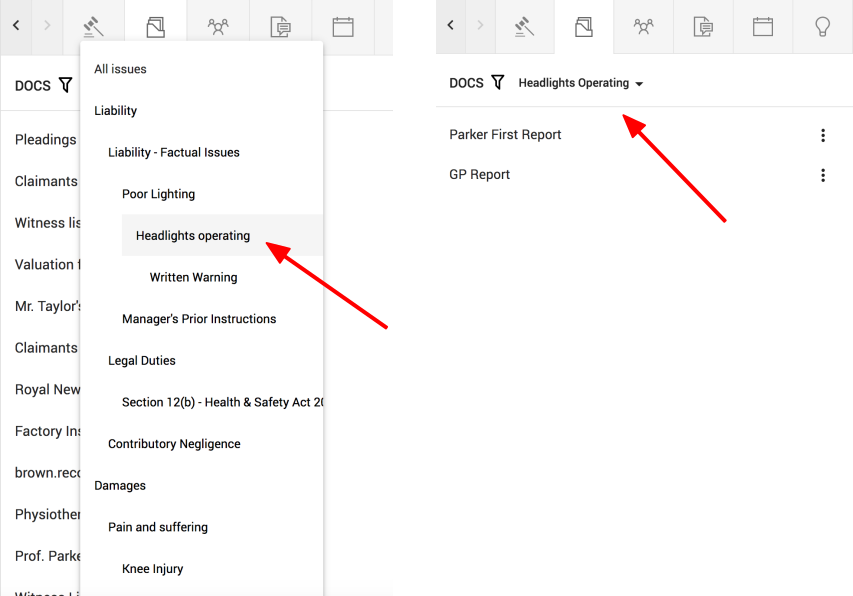
Select which issue you wish to filter by from the drop down menu
Only documents linked to this issue will show up
2. Steps to filter people by issue
Step 1.
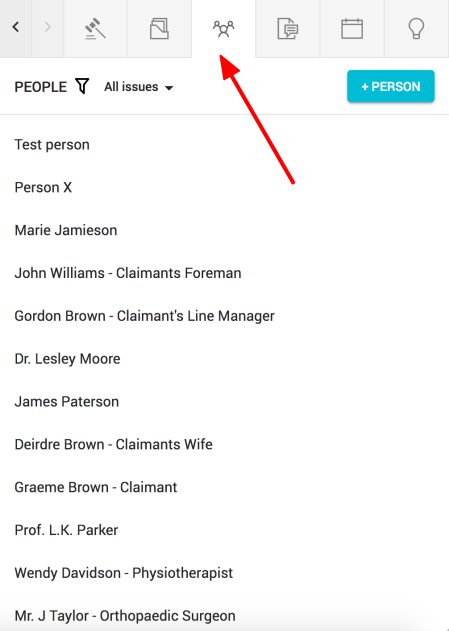
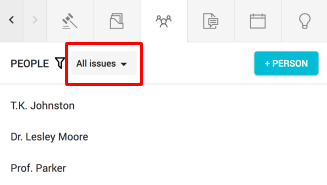
Click on the "PEOPLE" button, found on the top right of the sidekick window
Step 2.
Click on the issue name next to the filter icon to open a drop down menu
Step 3.
Select which issue you wish to filter by from the drop down menu
Only docs linked to this issue will show up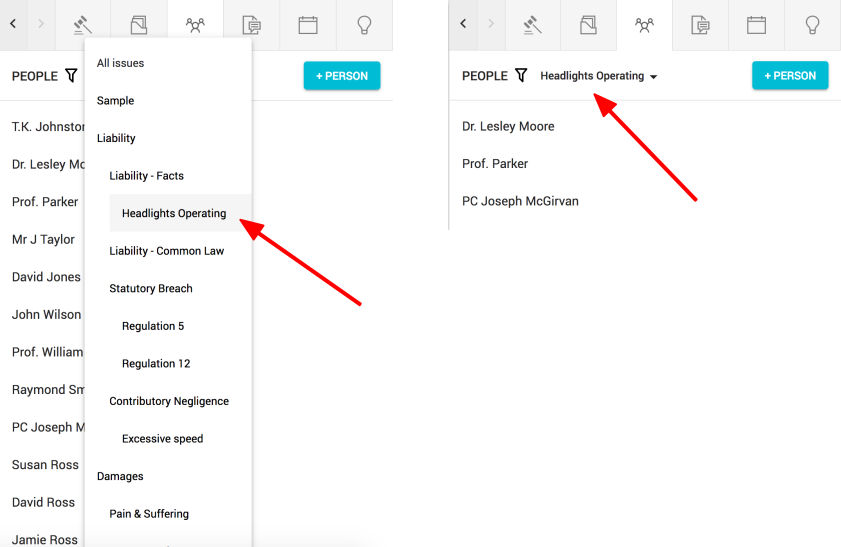
Comments
0 comments
Please sign in to leave a comment.