
Miso lets you keep track of key persons in your case and easily identify who is who.
Step 1.
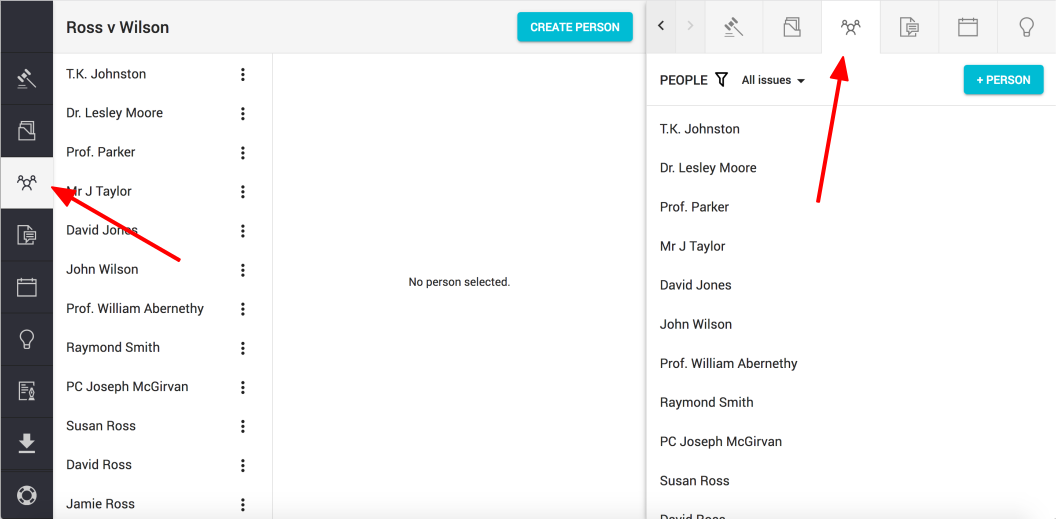
Click on the "People" button found on the left hand navigation column or on the top right of the sidekick window
Step 2.
Click on the "Create Person" or "+ Person" button (top right of the main view or sidekick view)

Step 3.
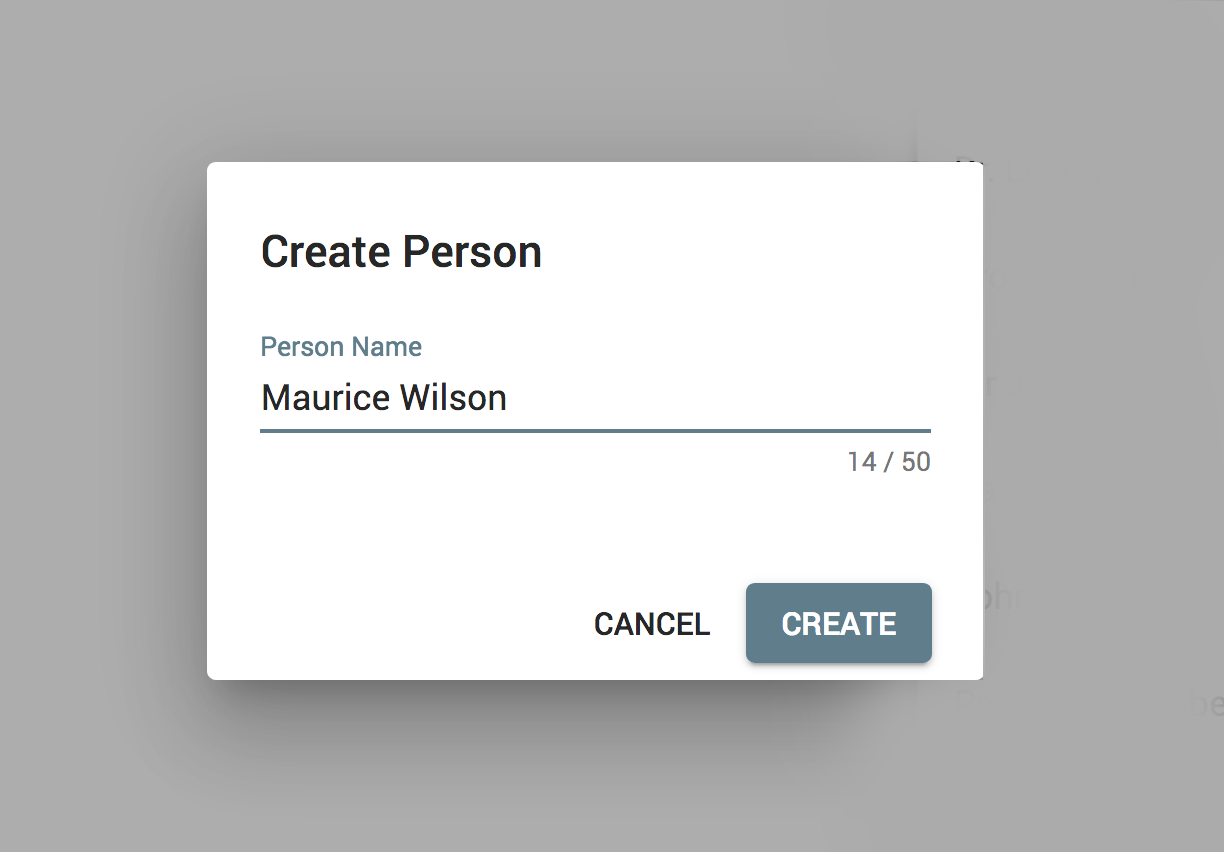
Enter your chosen name and click "Create"
Comments
0 comments
Please sign in to leave a comment.