
With Miso, you can create events that will help you construct the timeline of your case.
Step 1.
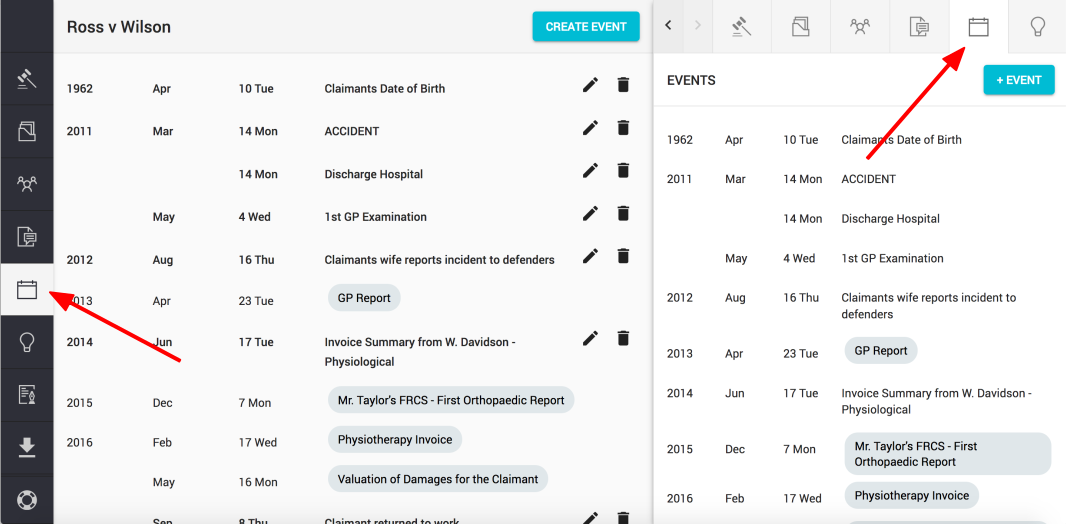
Click on the "Event" button found on the left hand navigation column or on the top right of the sidekick window
Step 2.
Click on the "Create Event" or "+ Event" button (top right of the main view or sidekick view)

Step 3.
Enter a description and chosen date and click "Create".
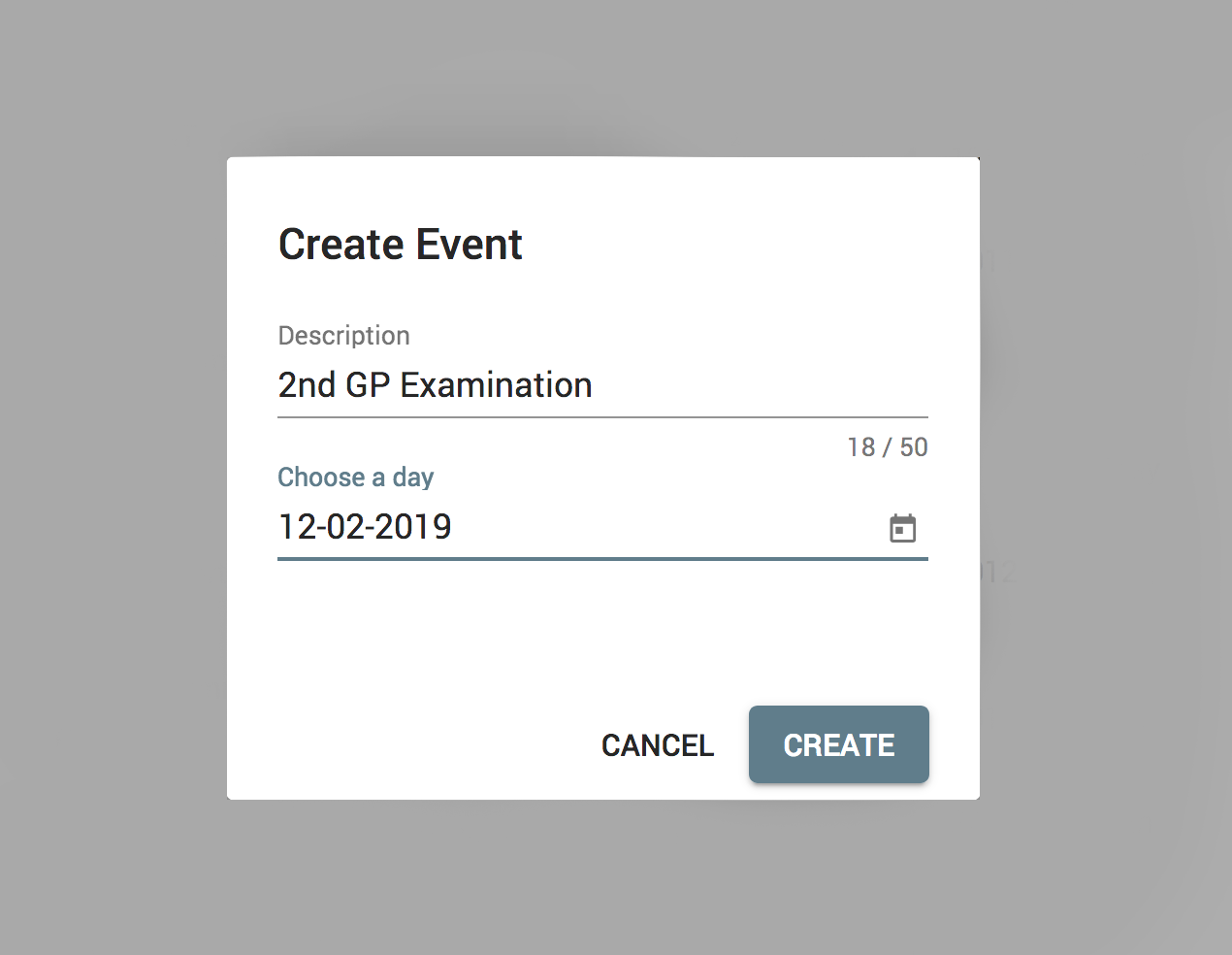
Note: You can type in a date in one of the available formats: dd mm yy or dd mm yyyy, or just click on the calendar icon and select the date from the calendar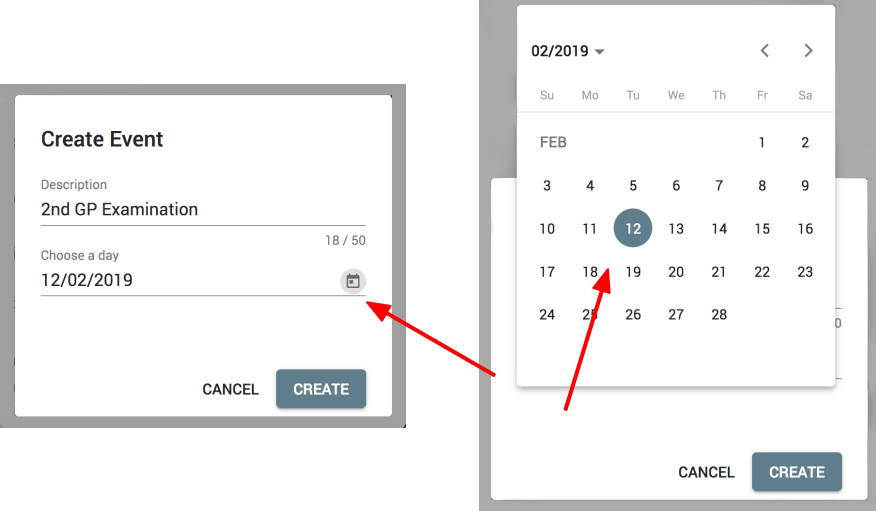
Comments
0 comments
Please sign in to leave a comment.